Students and staff should access Jacaranda via the SLIK My School Apps page. If requested, log in with the username and password provided to you by ICT.

If using the Jacaranda eBook plus app
- Open the Jacaranda eBook plus app. This is available for free from the App Store.
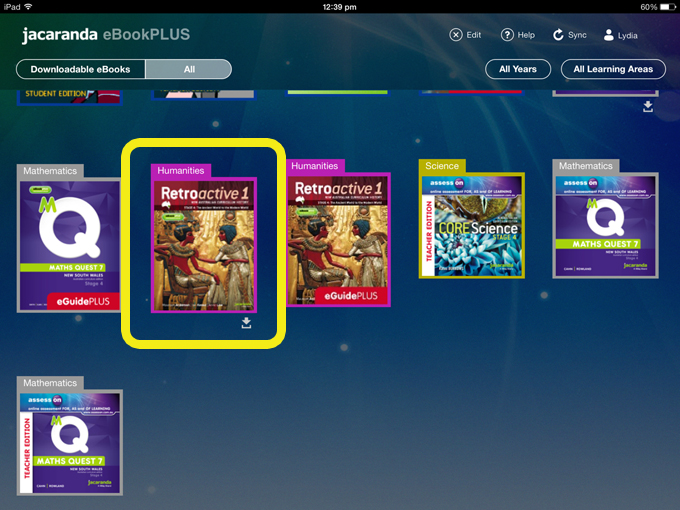
- Log in using the username and password you were provided by ICT. Once you are logged in to the app you will see various textbooks. Tap once on a textbook cover. You will see a bar showing the download progress.
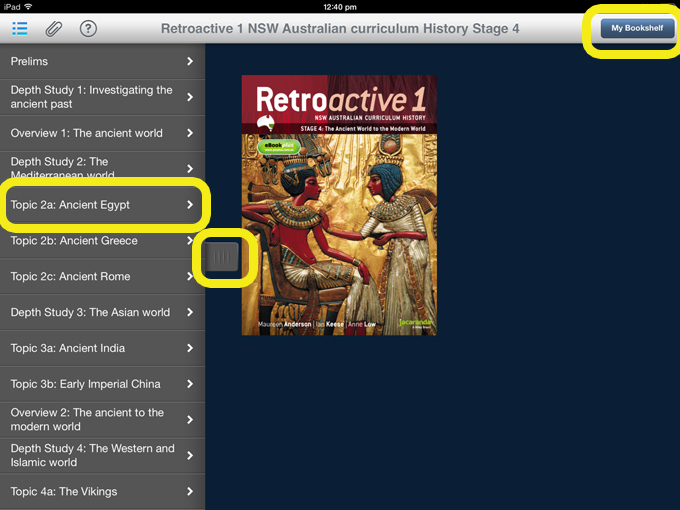
- Once this bar disappears, tap on the book cover again. This will open the book. You will see the contents on the left hand side. Tap on a chapter name to go to that chapter. You can tap or swipe the contents tab left to remove the contents panel or right to bring it back. Select My Bookshelf in the top right to go back to your list of books and download your remaining textbooks.
- Once you have downloaded them, you can access the textbooks offline through the app.