Home
Knowledge Base
FAQs
Home
Knowledge Base
FAQs
Computers & Technology
Home
/
Knowledge Base
/
Computers & Technology
Excel – Removing duplicated data
March 20, 2014
/
October 19, 2018
/
Alison Cassidy
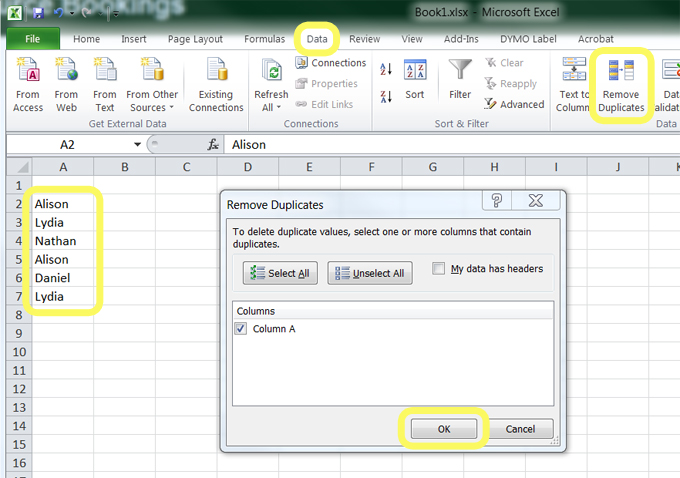
To remove duplicated data from your Excel spreadsheet
Highlight the range of cells with duplicated data. Select
Data
, then
Remove Duplicates
, then select
OK
.
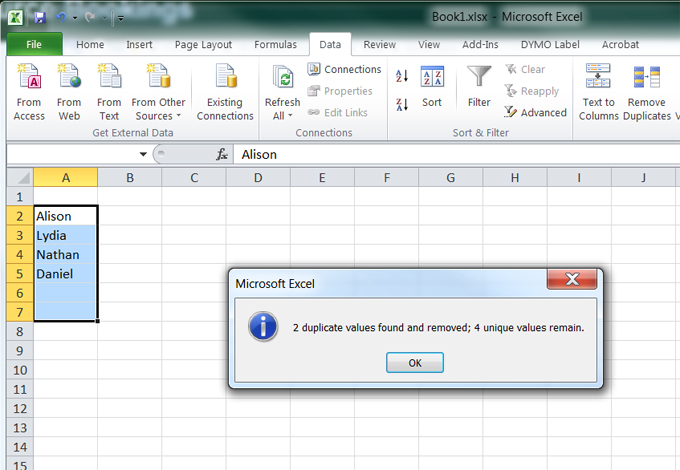
The cells with duplicated data will be removed
TAGS:
msoffice
office365
RELATED ARTICLES
Canvas – Importing Content from another SLGS Canvas Course
Mark Roll Using Zoom Report
Canvas – Course Participation Analytics
Scanning Your Work
Canvas – STUDIO – Screen Capture and Webcam Capture