Edumate – How to Copy a Task from a Previous Year
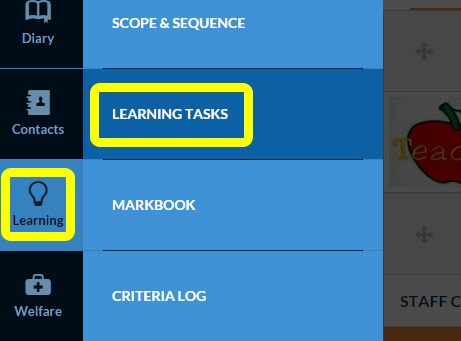
- Select Learning Tasks from the Learning tab of the main menu bar
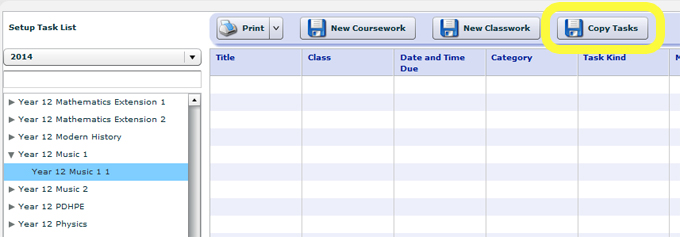
- Select the course that you want the old task to come into – in the current year (do not go to the previous year task that you want to copy). Then select Copy Tasks
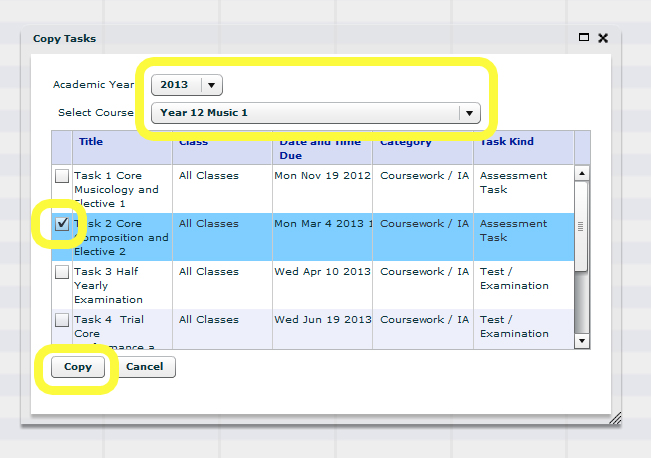
- Select the Academic Year and Course that you want to copy the task from, select the task or tasks then select Copy
- The old task(s) will be dropped into the current unit and the correct students drawn in.
Please note that this will bring in resources that are attached to the task making them accessible to the students.
TAGS:edumate