Each individual Canvas Course potentially has different menu options on the side menu.
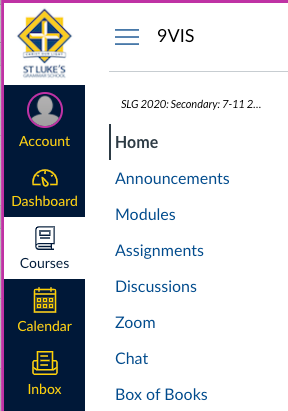
It would be good if the students see a consistent menu in each of their courses. Start with the following menu items and then add others as required:
- Home
- Announcements
- Modules
- Assignments
- Discussions
- then others such as Zoom, Conferences, Chat, Box of Books etc
Written Instructions
You are aiming for a menu that looks basically like this
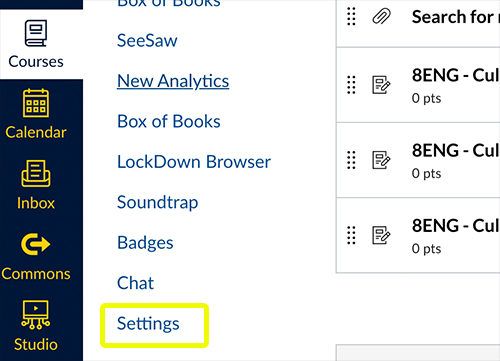
Select Settings from the Left Menu within your course
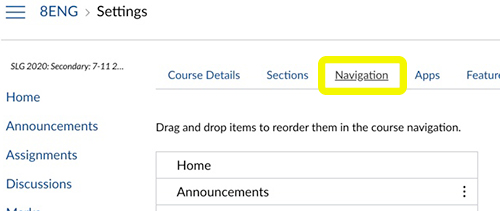
Select the Navigation tab at the top
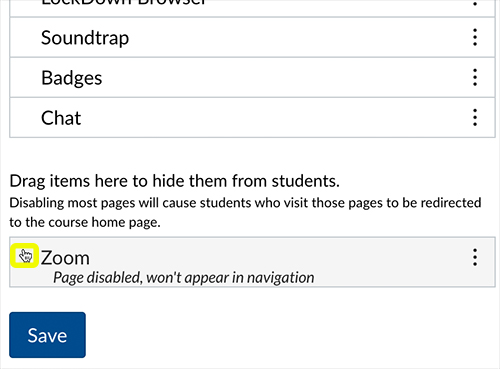
Rearrange the menu items by dragging them. Scroll to the bottom to see any items that are not already visible. Drag what you need up into the spot you want it. Then SAVE