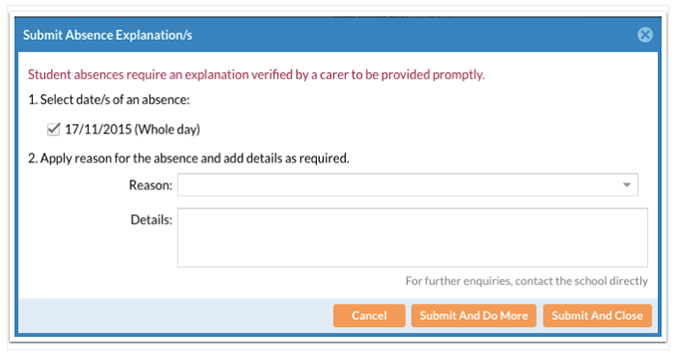
If your child is absent due to illness or attending a medical appointment, you are able to approve their absence online using the Edumate Carer Portal. You will be able to do this once your child has been marked absent during period one. It must be done within 5 days or you will need to send a written note providing a reason for their absence. If your child’s absence is due to any other reason you must still provide a written note to the School.
Log into the Edumate portal using the log in details provided to you. If you need help logging in or require new log on credentials, please contact [email protected].
Under the At A Glance/Profile section on the Dashboard, select the Attendance tab. If your child has unexplained absences there will be a spot to click and enter a valid reason.
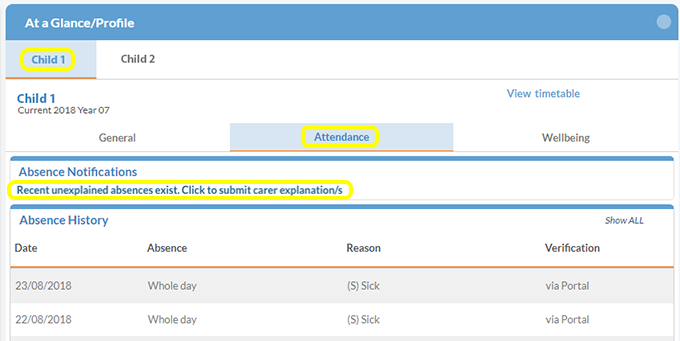
Older absences can be viewed by scrolling a little further down the page.
A complete overview of your child’s attendance can be seen by selecting Click to View under Attendance Details.