To view your child’s upcoming assessment tasks and recent task results
- Log into the Edumate portal using the log in details provided to you. If you need help logging in or require new log on credentials, please contact [email protected].
- Select the Progress portlet from the menu on the left. Select the tab of the child you wish to view details for.
- You can see upcoming tasks under the UPCOMING TASKS tab and completed tasks under the Past Tasks tab.
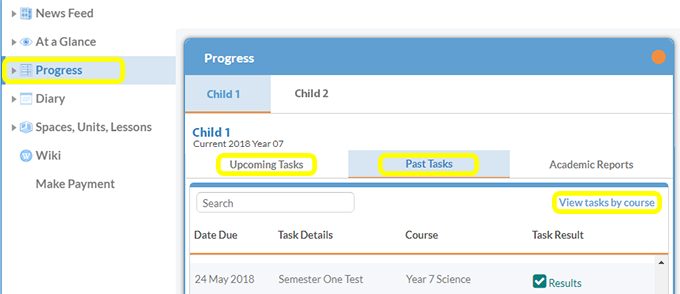
- To view all tasks that have been set for a specific course, use the View Tasks by course feature.
- To view task details click on the title of the task. To view results information click on the results link.
