You can access your child’s academic report online using the Edumate portals for the Dee Why campus and the Bayview campus. If you need help logging in or require new log on credentials, please contact [email protected]
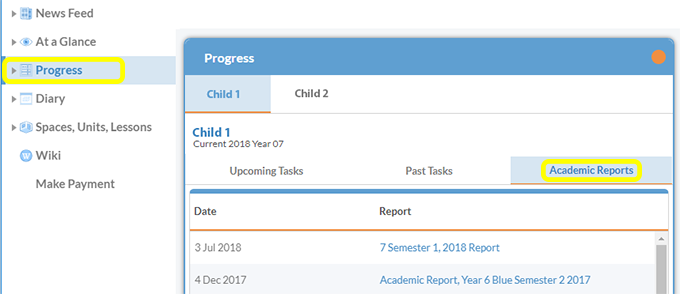
- Log into the Edumate portal using the log in details provided to you. Select the Progress portlet from the menu on the left. Select the tab of the child you wish to view details for.
- Select the Academic Reports tab, then click on the name of the report you want to view. This will open the pdf of the report.
Please note that you will not be able to view academic reports on a mobile phone.