To view and grant permission for your child to attend an event and provide any extra notes eg, transport details.
- Log into the Edumate portal (Bayview or Dee Why) using the log in details provided to you. If you need help logging in or require new log on credentials, please contact [email protected].
- Any pending permissions are displayed in the To Do tab in the News Feed on your Dashboard.
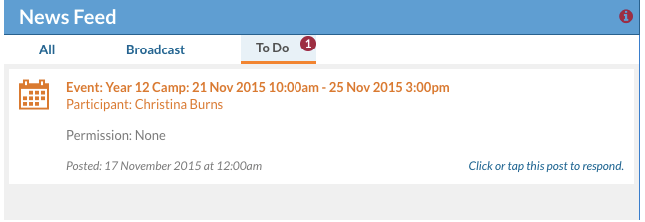
- Click on the event alert. A popup will appear displaying any event details. Click on the pdf to view full details of the event. You may be required to provide further information, eg transport details, into the Notes: box. These requirements will be stated clearly in the pdf attached to the event. Once you have added any comments (if required), select Grant Permission.
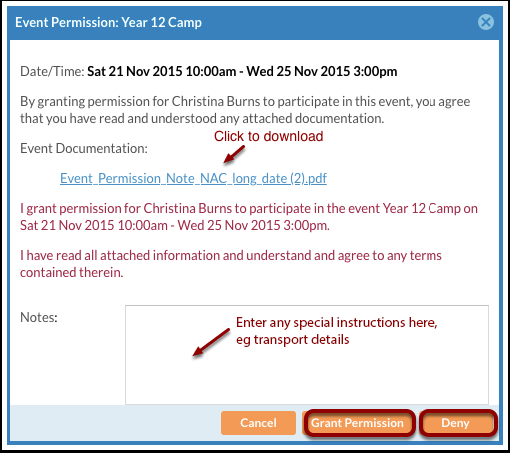
- If you have already granted permission then realise you should have added instructions into the Notes box, you will need to Deny permission to the event then Grant permission again and add the note.