If you are changing the device you use at school, or are a student leaving St Luke’s Grammar School, then you will want to remove the LANrev (MDM) management from your device.
To remove LANrev for your device, tap on your device type below and follow the instructions.
- Open Control Panel
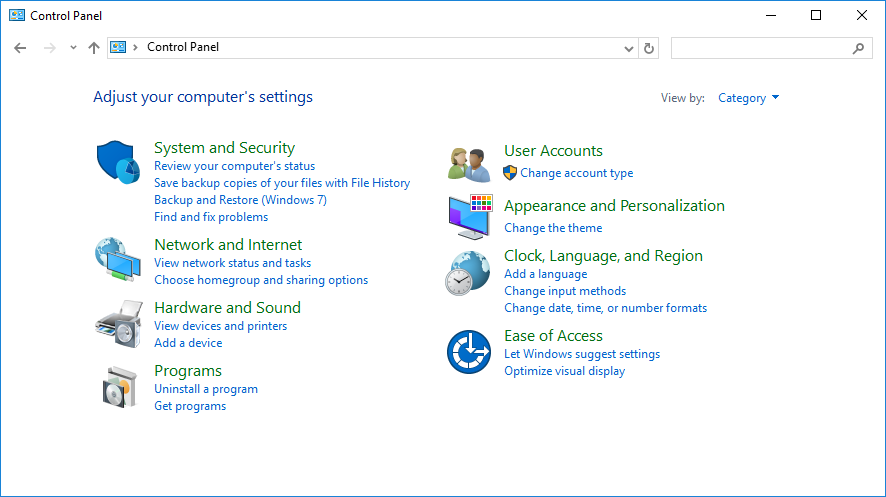
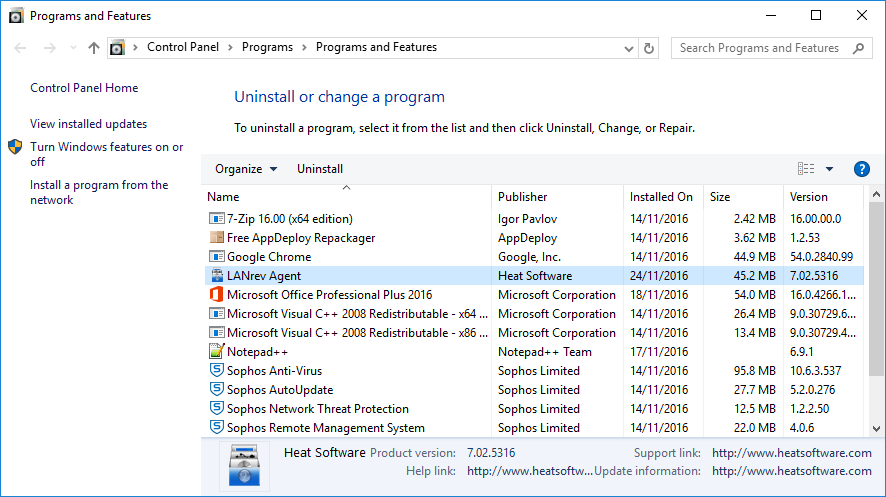
- Tap on “Uninstall A Program” (this may also appear as “Programs and Features“)
- Double-click on “LANrev Agent” to begin the uninstall
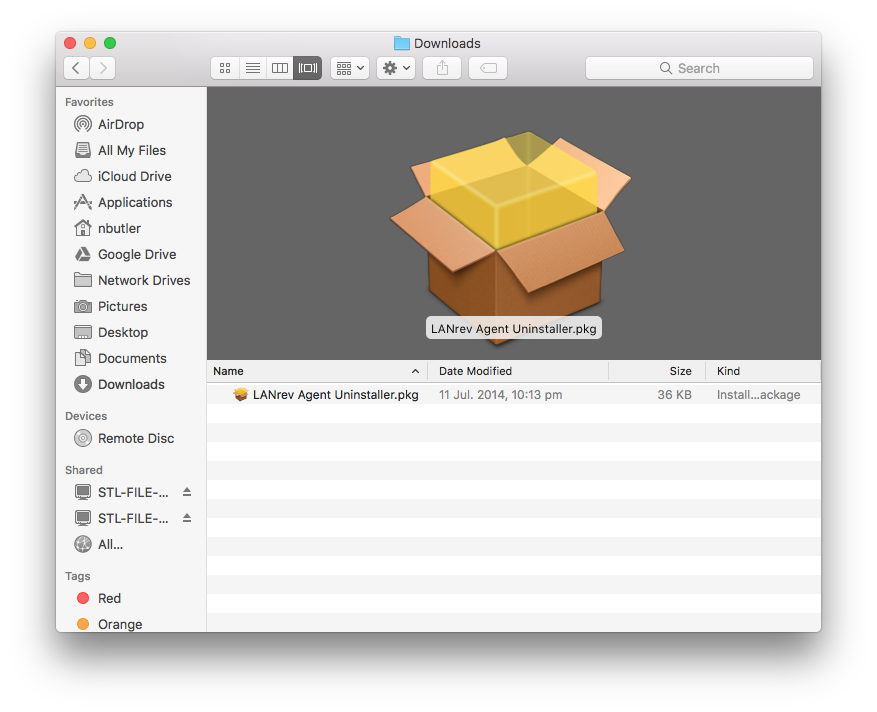
- Click Here to download the LANrev Agent Uninstaller
- Launch the LANrev Agent Uninstaller from your Downloads Folder
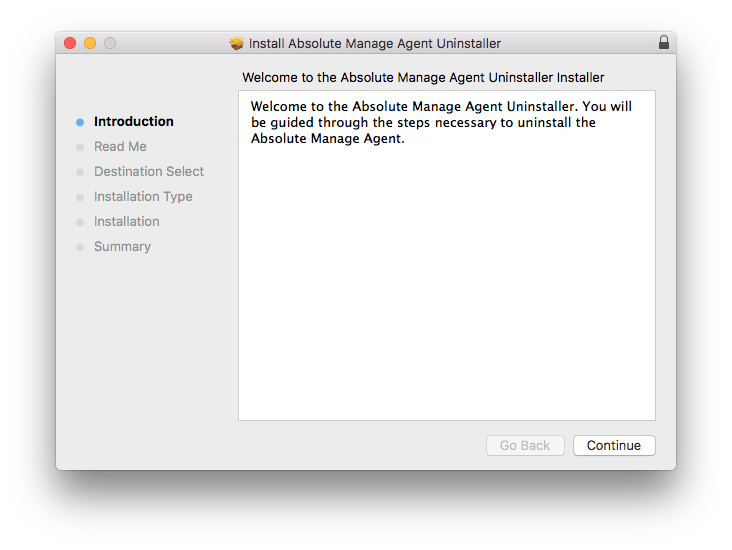
- Follow the prompts to complete the uninstall
- Open the Settings app on your iPad
- Go to General -> Device Management
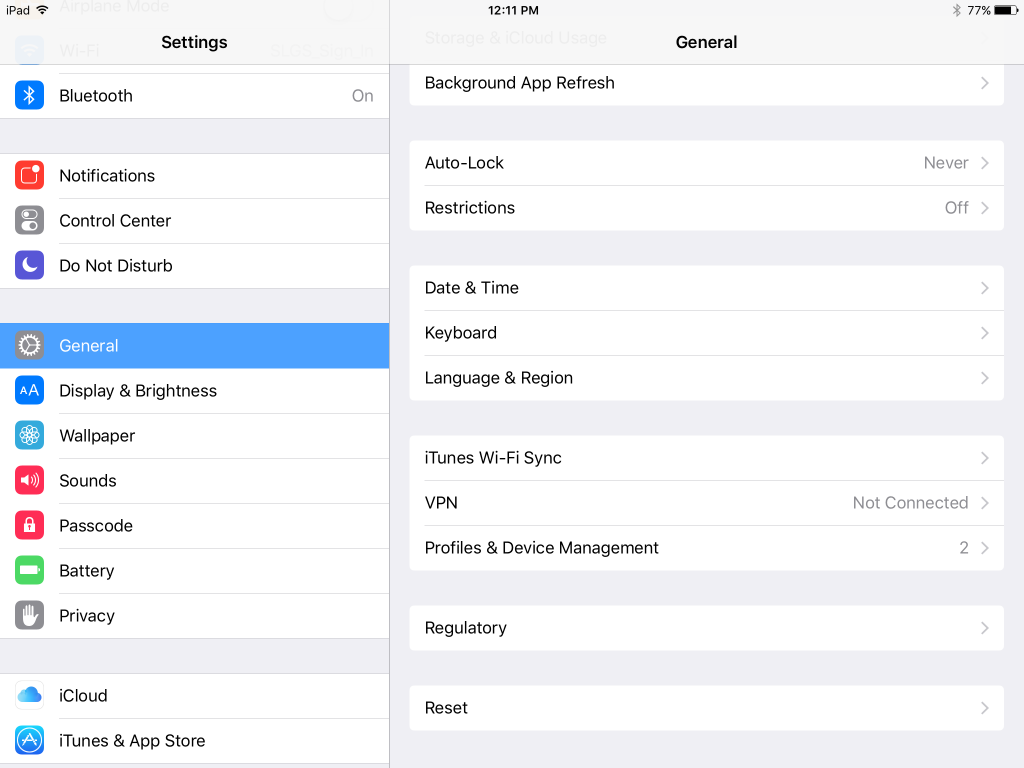
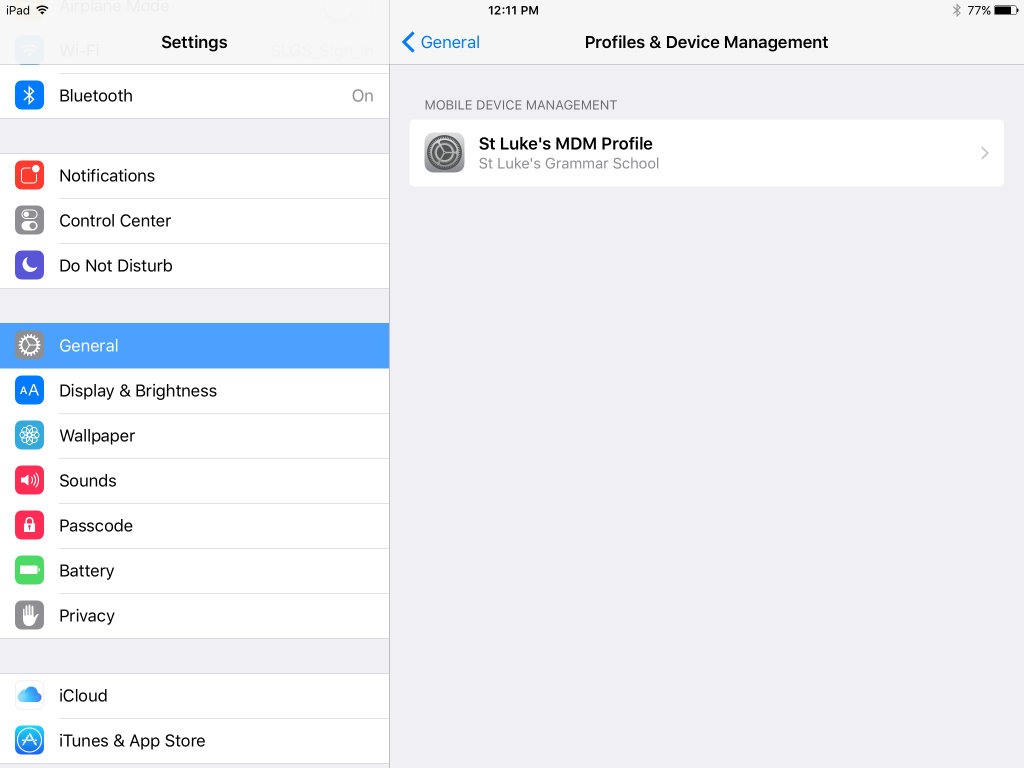
- Tap on the “St Luke’s MDM Profile” entry
- Tap the “Remove Management” option at the bottom.
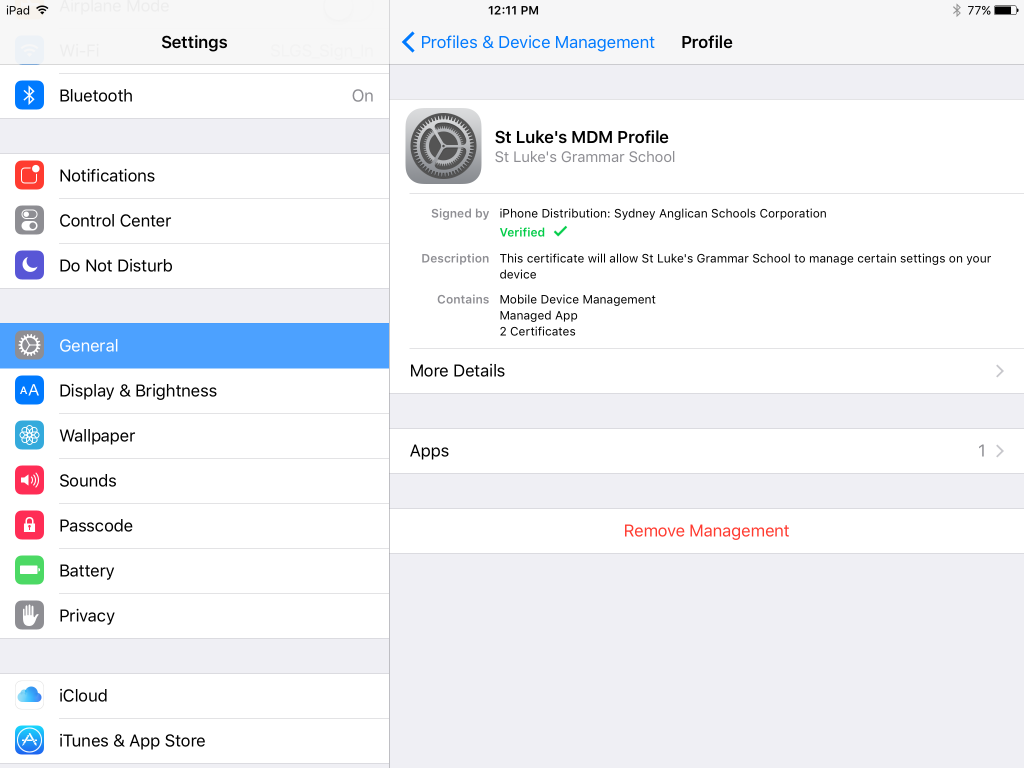
- You will receive a number of notifications asking you to confirm the removal of the profile. Read these carefully and select the option to remove the management.